
6 Must-Have Webflow SEO Plugins (Apps) for 2026



Webflow does not use plugins in the traditional WordPress sense. Instead, it has Apps available through the Webflow Marketplace. The difference matters because Webflow already includes many native SEO controls, such as metadata, redirects, sitemaps, robots.txt settings, and clean page structure.
Apps are mainly used to extend workflows, automate tasks, run audits, or connect Webflow with external tools. Unlike many WordPress plugins, Webflow apps usually connect through approved integrations or APIs, which helps reduce compatibility and performance issues. In this guide, we’ll look at the best Webflow plugins and apps, what they do, and when they are worth adding to your site.
How We Selected These Apps
I've tested 20+ Webflow SEO apps across client projects. The six below are the ones I actually keep installed. Each listed app matches these criteria:
- Approved by Webflow. Each app carries Webflow's "Approved" badge, which means it passed Webflow's quality review for the Marketplace.
- 1k+ installs. The Webflow Marketplace has around 300 apps total versus WordPress's 60,000+, so install numbers are lower than you'd see in the WordPress world. 1k+ is a high install count for a Webflow app.
- Actively updated. Abandoned apps break as Webflow updates its platform, so I only use ones with a developer still launching updates.
- Doesn't slow the site down. All six apps run light and shouldn't noticeably impact your page speed scores.
Top 6 Webflow SEO Apps Worth Using
These six are the ones I keep coming back to, each handling a different part of the workflow.
Apps covered in this guide:
| App | Category | Best For |
|---|---|---|
| Semflow | Real-time on-page audits | Any site size, especially those in active design |
| AI SEO Copilot | AI-assisted metadata & content optimization | Sites with 50+ pages needing metadata at scale |
| Graphite | Answer Engine Optimization (AEO) & structured data | Content-heavy sites, blogs, and knowledge bases |
| FluidSEO | Bulk metadata & alt text management | Large sites with 100+ pages |
| Schema Flow | Structured data automation | CMS-driven sites (e-commerce, blogs, local business) |
| BulkSEO | CSV-based bulk metadata editing | Static and CMS-driven sites needing bulk metadata updates |
Semflow – Best For In-Designer SEO Audits

Semflow runs as a panel inside the Webflow Designer, so you get SEO feedback while you're building instead of waiting until after you publish. It scans your static pages and CMS items, scores each one against on-page checks (title length, meta description, headings, internal links, alt text), and gives you a prioritized list of fixes. Keyword research is built in too, so you can find target terms, assign a primary and secondary keyword per page, and track rankings over time.
The no-code schema builder matters because Webflow's native custom code field gets messy fast once you have more than a handful of pages, and Semflow covers the main types most sites need. PageSpeed Insights is wired in for both desktop and mobile, and PDF client reports sit alongside everything else, so agencies running multiple Webflow sites don't have to bolt on a separate reporting tool.
If you're running multiple Webflow sites, Semflow is the closest thing to an all-in-one option on the Marketplace.
Key Features
- Site audits with prioritized fixes
- Keyword research with volume and difficulty data
- Primary and secondary keyword assignment per page
- Rank tracking over time
- One-click AI-generated metadata
- No-code schema builder (Local Business, FAQ, Services, Articles, and more)
- PageSpeed Insights integration for desktop and mobile
- PDF progress reports for client sharing
Best For: Designers who want SEO feedback while they're building, and agencies running multiple client sites who need PDF reports and rank tracking in one place.
Pros
- Combines audits, keyword research, rank tracking, and client reporting in one app, so agencies can replace 3-4 separate subscriptions
- Works inside the Designer for live feedback while building, not after publishing
- Generates client-ready PDF reports without exporting data to another tool
- Tracks SEO score history over time, so you can see whether new content is being published with proper optimization
Cons
- Subscription-only pricing, so unlike Schema Flow or BulkSEO (one-time fees), the cost compounds over time.
Pricing: Free trial available with limited pages; paid plans start from $8/month.
AI SEO Copilot – Best For Free SEO Checks with Plain-Language Fixes
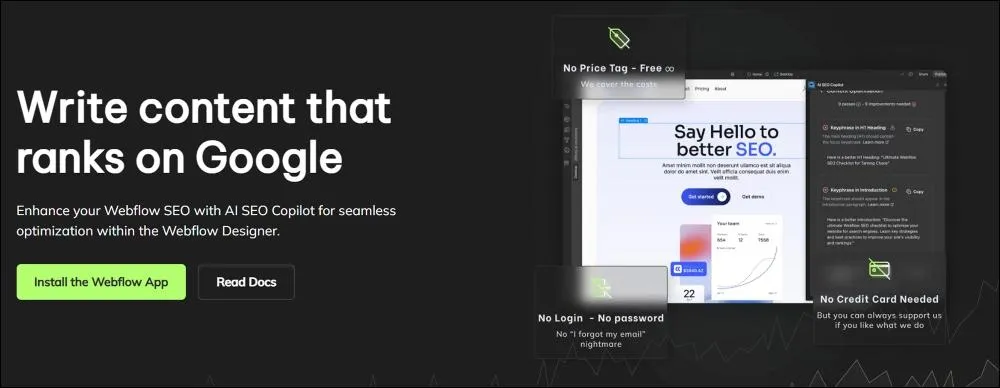
AI SEO Copilot opens as a panel inside the Webflow Designer and runs 18 on-page checks against whichever page you're currently working on. It looks at title tag length, meta description, H1 usage, image alt text, keyword placement, and the other on-page basics, then flags what's missing or off. What sets it apart from a generic checklist app is the GPT-powered explanations; instead of saying "your meta description is too long," it tells you exactly how to shorten it and why that matters for click-through rate.
The keyword presence detection is useful for confirming your target term actually appears in the places that count (title, H1, first paragraph, alt text) before you publish. Documentation sits inside the Designer too, so you don't have to leave Webflow to figure out what a check means. The app is free and open source with monthly community updates, and the only cost is your own OpenAI key if you want the AI fix suggestions turned on.
Key Features
- 18 on-page SEO checks
- GPT-generated fix suggestions per issue
- Page-level SEO scoring
- Keyword presence detection
- In-Designer documentation
- Monthly community-driven updates
Best For: Solo founders, freelancers, and beginners learning SEO. Also a fit for budget-conscious agencies that want a free starting point before paying for a heavier tool.
Pros
- Explains fixes in plain language, which makes it usable for non-SEO people on the team
- Uses your own OpenAI API key, so AI suggestions scale with your usage instead of a fixed credit limit
- Open source, so you can see exactly what each on-page check is measuring
- Lightweight enough to run alongside another SEO app without overlap or conflicts
Cons
- AI fix suggestions require your own OpenAI API key, so there's a small pass-through cost.
- On-page checks only, no rank tracking, keyword research, or schema generation
Pricing: Completely free: no paid tier, no signup, no credit card.
Graphite – Best For Tracking Visibility in AI search
Graphite installs into Webflow and handles the usual SEO basics (bulk meta editing, schema, robots.txt), but the reason most teams pick it is the AI Tracker. It monitors whether your Webflow pages get cited in ChatGPT, Perplexity, Claude, Gemini, and Google's AI Overviews, then shows your share of voice against competitors for the prompts you care about.
The bulk meta editor handles titles, descriptions, and OG images across static and CMS pages from one screen, which covers the day-to-day work the AI Tracker doesn't. There's also a Webflow-specific feature most apps skip, which is per-page control over whether LLM crawlers can train on your content versus just index it.
For Webflow content sites that want to show up in AI answers and not just Google, this is one of the best Marketplace apps currently built around that goal.
Key Features
- Bulk meta editor (titles, descriptions, OG images)
- Robots.txt builder with LLM crawler controls
- Schema builder for static and CMS pages
- AI training vs. indexing permissions per page
- AI Tracker for ChatGPT, Perplexity, AI Overviews, Claude, Gemini
- Competitor share-of-voice benchmarking
Best For: Marketing teams and content strategists who want to show up in ChatGPT and Perplexity, not just Google.
Pros
- One of the only Webflow apps built for AI search visibility from the start, not bolted on later
- Per-page control over LLM training versus indexing, which Webflow's native settings can't do
- Tracks competitor share of voice in AI answers, not just your own rankings
- Schema and meta editing work across both static pages and CMS collections from one screen
Cons
- The AI Tracker (the reason most people pick Graphite) is a paid feature
- AI search best practices keep shifting, so the playbook is less settled than traditional SEO
Pricing: Free plan available on the Webflow Marketplace; paid pricing isn't publicly disclosed.
FluidSEO – Best For Bulk Alt Texts on CMS Images
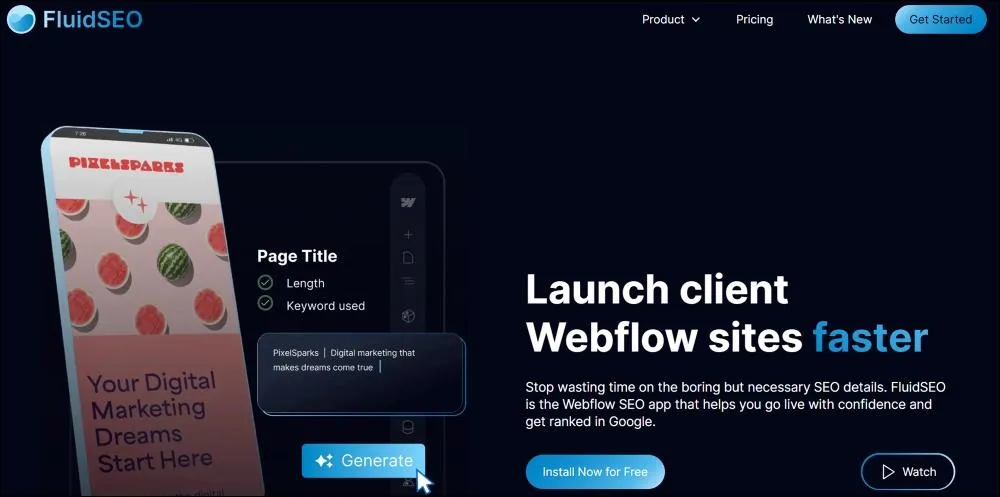
FluidSEO runs inside the Webflow Designer and focuses on the parts of SEO that get painful once a site grows past 100 pages. It audits every page, generates alt text in bulk (including for CMS images, which most other apps can't touch), and pushes meta titles and descriptions across the site in one click.
The CMS image support is the real reason to use it; if you have a blog with 200 posts and 5 images per post, writing alt text by hand is hours of work, and Webflow's native asset panel doesn't help with images stored in CMS fields. The audit side flags broken metadata, missing schema, and duplicate titles across the whole site, and the CSV bulk update is a useful extra for migrations, though it doesn't extend to CMS items yet.
Key Features
- Full-site page audits with prioritized fixes
- Bulk AI-generated alt text (works on CMS images)
- One-click SEO field updates across the site
- AI-generated meta titles and descriptions
- CSV bulk updates for static page SEO tags
Best For: Webflow agencies and freelancers managing large client sites. Also a fit for in-house marketing teams handling 100+ page sites with image-heavy CMS content.
Pros
- Handles alt text on CMS images, which most other Webflow SEO apps can't do
- AI-generated alt text reads the surrounding content instead of just the filename, so the output is actually descriptive
- Runs inside the Designer with no tab-switching to a separate dashboard
- One-click site-wide updates for metadata, instead of editing each page individually
Cons
- The schema is limited to Article and Organization for now
- CSV bulk editing works on static pages, not CMS items
Pricing: Free plan; paid plans start from $24/user/month (Business) or $65/month (Agency, unlimited users)
Schema Flow – Best For Automated Schema Across CMS Pages
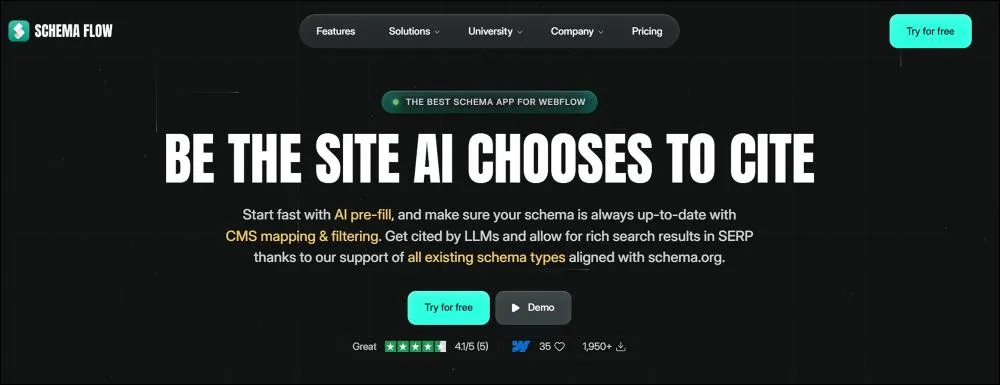
Schema Flow is the tool you reach for when your Webflow site has CMS collections and you want every item to publish with proper structured data. You map a CMS field (like "Author Name" or "Published Date") to a schema property once, and from then on, every new collection item gets JSON-LD generated automatically with no extra work per post. It covers 13+ schema types out of the box (Article, Product, LocalBusiness, FAQ, Recipe, Event, and others) and lets you paste raw JSON-LD if you need something custom.
The visual editor for JSON-LD helps a lot here because writing schema by hand inside Webflow's custom code field is error-prone, and a single missing comma can break the whole markup. The CMS filtering is a nice touch for sites that want different schema on different content types within the same collection, like applying Recipe schema only to posts tagged as recipes.
Key Features
- AI schema suggestions per page with one-click publishing
- CMS collection-to-schema field mapping
- CMS filtering (apply schema only to items meeting your criteria)
- Wide range of schema.org types via a no-code form (13+ pre-built templates plus custom)
- Paste raw JSON-LD and edit visually
- Schema persists through Webflow site transfers
Best for: Developers, technical SEOs, and agencies who need schema at scale across CMS-driven sites without writing JSON-LD by hand.
Pros
- Visual JSON-LD editor catches the syntax errors that break hand-coded schema
- Schema setup carries over when sites move between Webflow workspaces, useful for agency handoffs
- The same app handles a simple Organization schema and a complex CMS-driven Product or Recipe schema
- CMS filtering lets you apply different schema types to different items in the same collection
Cons
- No built-in validation, so you'll need to verify output with Google's Rich Results Test
- The Free plan caps at 10 published schemas, so even a small CMS-driven site outgrows it fast.
Pricing: Free Starter (up to 10 schemas); Pro at $79 one-time for lifetime access.
BulkSEO – Best For Bulk metadata Edits and Migrations

BulkSEO does one thing and does it fast: editing metadata across an entire Webflow site from a single screen. You see every page (static and CMS items) in one list, edit titles, descriptions, and Open Graph fields inline, and push the changes live in one click.
The CSV import/export is what makes it stand out for migrations; you export the current metadata, edit in a spreadsheet (or hand it to a copywriter), and reimport when you're done. Open Graph and SEO fields stay synced by default, and the global OG image setting applies to every page that doesn't have its own.
It doesn’t perform audits, schema, or AI generation, but if your job today is "rewrite metadata on 300 pages," nothing else on this list is faster.
Key features
- Single-view dashboard for all pages
- CSV import/export for bulk metadata changes
- One-click updates across the whole site
- Open Graph and SEO data synced together
- Global OG image setting for every page
- Works with both static pages and CMS collection items
Best For: Migration specialists, freelancers, and agencies doing site relaunches. Also a fit for marketing teams doing periodic site-wide metadata refreshes.
Pros
- Fastest tool on this list for editing metadata across hundreds of pages
- A single-screen dashboard means no clicking into each page in the Designer to make a change
- CSV workflow makes it easy to hand off metadata writing to a copywriter who doesn't know Webflow
- Open Graph and SEO fields stay synced by default, so social previews don't drift out of date
Cons
- Focused only on metadata and Open Graph: no audits, schema, alt text, or AI generation
- Less polished than dedicated SEO tools, the dashboard is functional but minimal
How to Install SEO Apps in Webflow
The process works the same for any Marketplace app. Here's the universal workflow that I've refined through dozens of installations.
Step 1: Open the Webflow Apps Marketplace
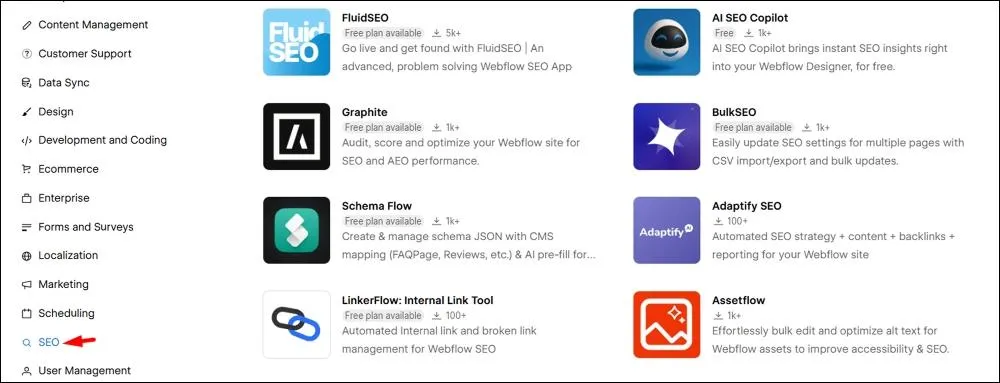
Navigate to webflow.com/apps or click Apps in the left sidebar of Designer. Filter by "SEO" category or search by app name. Review the install tier, and check the last updated date. Remember that abandoned apps cause problems.
Step 2: Connect the App to Your Project
Click “Install,” "Add to site," select your workspace, then choose your specific project.
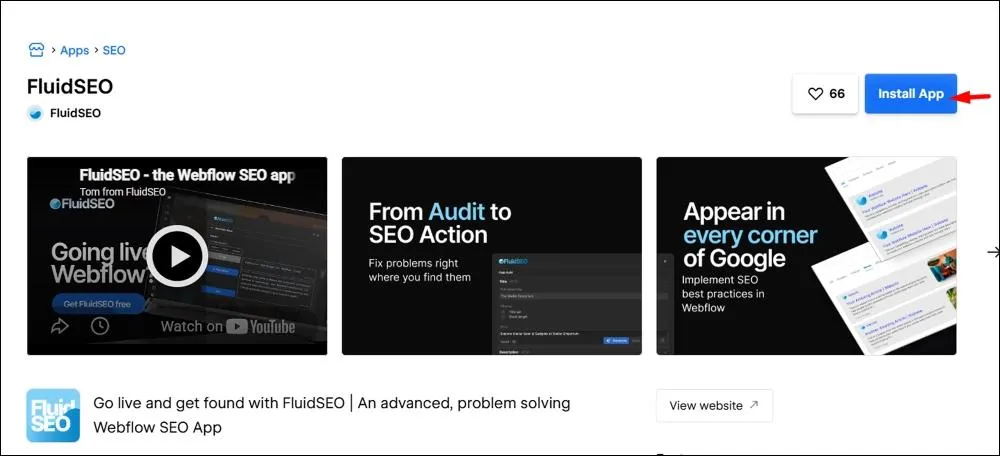
Review requested permissions carefully. Some apps request Designer access, which means they can modify your site. Others only request Content access, which means they can read but not change. Authorize only what's necessary.
Step 3: Configure Your SEO Settings
Follow the app-specific onboarding. Each tool varies.
Common configurations include API keys, target keywords, audit frequency, and notification preferences. I always run an initial audit to establish a baseline before making changes.
Step 4: Test and Verify Everything Works
Three checks I run after every app installation are the following:
- First, use GSC's URL Inspection tool to confirm pages are crawlable.
- Second, search "site:yourdomain.com" in Google to verify indexed pages.
- Third, run a Lighthouse audit to ensure the app didn't degrade Core Web Vitals.
Compare before and after. If performance drops, investigate or remove the app.
How to Choose the Right SEO Plugin for Your Webflow Site
Most Webflow sites don't need more than two or three SEO apps. The trick is picking the ones that fit your workflow instead of duplicating what Webflow already does well.
Start With What You Actually Need to Fix
Pick by problem, not by app category. If you're losing track of metadata across hundreds of pages, you need bulk editing (BulkSEO or FluidSEO). If your CMS-driven blog isn't getting rich results in search, you need schema automation (Schema Flow). If your site is invisible in ChatGPT and Perplexity, you need AEO tooling (Graphite). If you're a designer who wants SEO feedback while building, you need in-Designer auditing (Semflow or AI SEO Copilot).
Pick the problem that's costing you the most time or traffic. That's your first app.
Don't Stack Tools That Do the Same Thing
This is where most teams overspend. Schema Flow and FluidSEO both touch schema, but they're not interchangeable: FluidSEO handles basic Article and Organization schema, while Schema Flow covers a much wider range of schema types with CMS automation. Pick FluidSEO's schema if you only need the basics; pick Schema Flow if you need anything more.
A clean stack usually looks like one auditing tool (Semflow, FluidSEO, or AI SEO Copilot), one specialist tool for whatever your audit tool doesn't handle (Schema Flow for CMS schema, Graphite for AEO, or BulkSEO for CSV-based bulk edits), and Google Search Console for everything else.
Watch the Pricing Model
Most apps on this list offer a free tier (Semflow is trial-only), so cost only matters once you outgrow the free plan. For paid options, the math depends on how long you'll use them.
Schema Flow Pro at $79 one-time and BulkSEO+ at $50 one-time pay for themselves within a few projects. FluidSEO and Semflow run on subscriptions, so calculate the annual cost against the time saved. If FluidSEO Business at $24/user/month saves you 5 hours per month, that's under $5 per hour for your time back.
When to Hire a Webflow SEO Agency Instead of Using Plugins
DIY works when your site has fewer than 50 pages, straightforward content, and basic technical SEO requirements, and you have time to learn them.
Hire an agency when you're facing large-scale migrations (100+ pages with complex redirect mapping), competitive industries that require sustained link-building, technical issues beyond app capabilities (JavaScript rendering, international SEO, or programmatic page generation), or strategic guidance you don't have time to develop in-house (keyword research, content strategy, competitive analysis, or AEO positioning).
Take Borderless AI, an Employer of Record platform competing in a SaaS market. The work with them combined a deep technical audit, 100+ pieces of content mapped to buyer journey stages, and multi-channel link building (SaaS partnerships, a scholarship campaign, and AIO outreach). In under a year, organic traffic grew from 4,300 to 9,800 monthly visitors, domain rating moved from 34 to 55, and the site earned 210 high-quality backlinks. That's the scale of work apps can't replicate.
If your situation is closer to Borderless AI's than to the simple cases above, this is the kind of work our Webflow SEO services take on.
References
- https://help.webflow.com/hc/en-us/articles/33961398704915-Webflow-Marketplace-overview
- https://seomator.com/blog/load-speed-impacts-on-seo
- https://almanac.httparchive.org/en/2025/cms
- https://webflow.com/updates/over-300-apps-now-available-on-webflow-marketplace
- https://almanac.httparchive.org/en/2024/seo
- https://developers.webflow.com/data/reference/enterprise/site-configuration/301-redirects/create
- https://webflow.com/apps
- https://developers.google.com/search/docs/appearance/core-web-vitals
- https://almanac.httparchive.org/en/2025/performance
- https://searchengineland.com/google-to-drop-support-for-several-rich-result-types-to-simplify-the-search-results-page-456969
- https://searchengineland.com/google-to-no-longer-support-faq-rich-results-476957
Maria Harutyunyan is the Co-founder and Head of SEO at Loopex Digital. She specializes in general SEO and strategy for SaaS, e-commerce, and B2B brands. An expert in on-page (onsite) SEO with more than 10 years in search, she is recognized by the SEO community as one of the top voices in the field. She has been featured in Forbes, quoted as an SEO expert on Shopify, and writes for Convince & Convert, SE Ranking, and Mangools (KWFinder). She is also the founder of Armenia's first SEO Academy, having trained 500+ marketers.
Submit the form - Get Free Proposal
%202.png)
24 hours
Don’t forget to share this post!
Latest Articles





Submit the form - Get Free Proposal
24 hours

